Nathan Massey
Claude Community Kraków #3 · 17 November 2026

Take back control of your tech

Slides from my talk on using Claude and reverse engineering to take back control of the devices you own, with links under each slide to everything I mentioned, and prompts you can try on your own devices.

Try it yourself

Full screen: → / Space next, ← back, Esc to exit. Or click any slide to start from it.

This one's on me.

The slides, links and prompts are free to use. If they helped you take back one of your own devices and you'd like to say thanks, you can buy me a coffee.

Buy me a coffee

Slides

Nathan Massey

Take back control
of your tech

using Claude and reverse engineering

Claude Community Kraków #3 · 17 November 2026

nathanmassey.dev

Opus 5.5
Released 22 September 2026
morluto/rea
Took off 6 October 2026
465,000 stars · 4th on GitHub
2

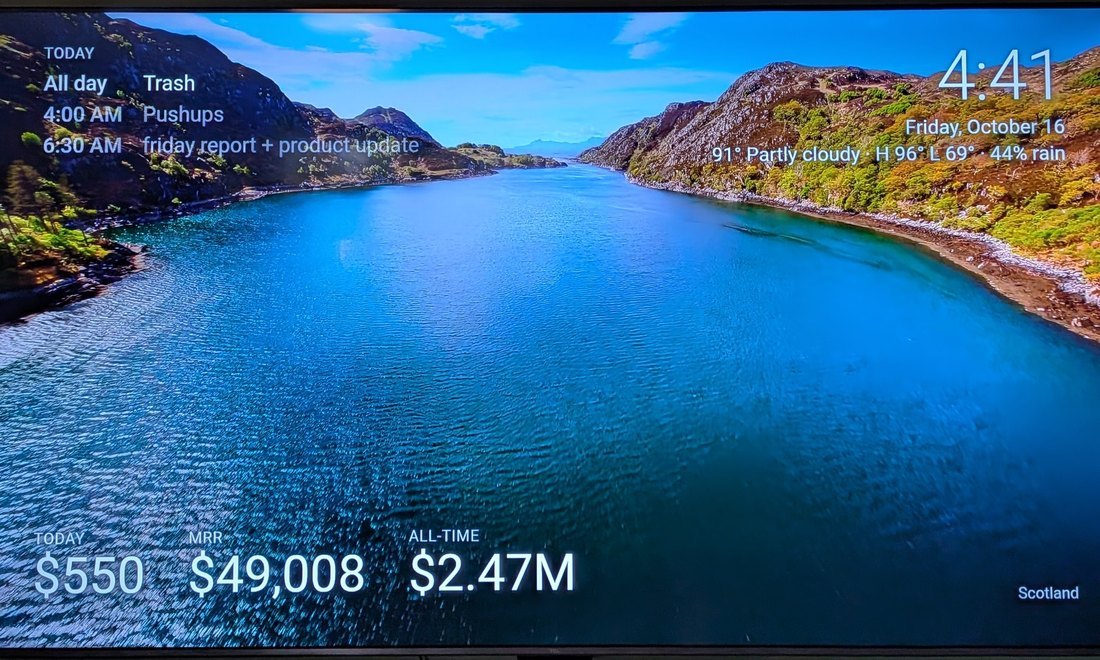
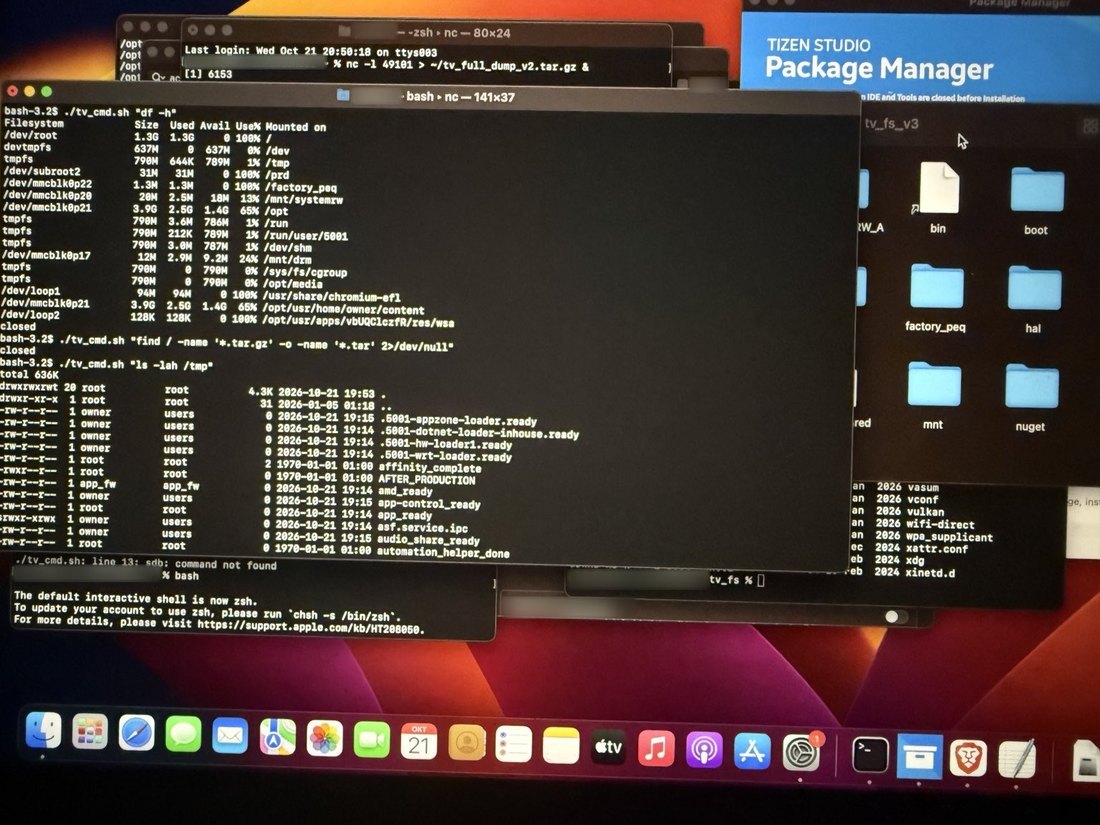
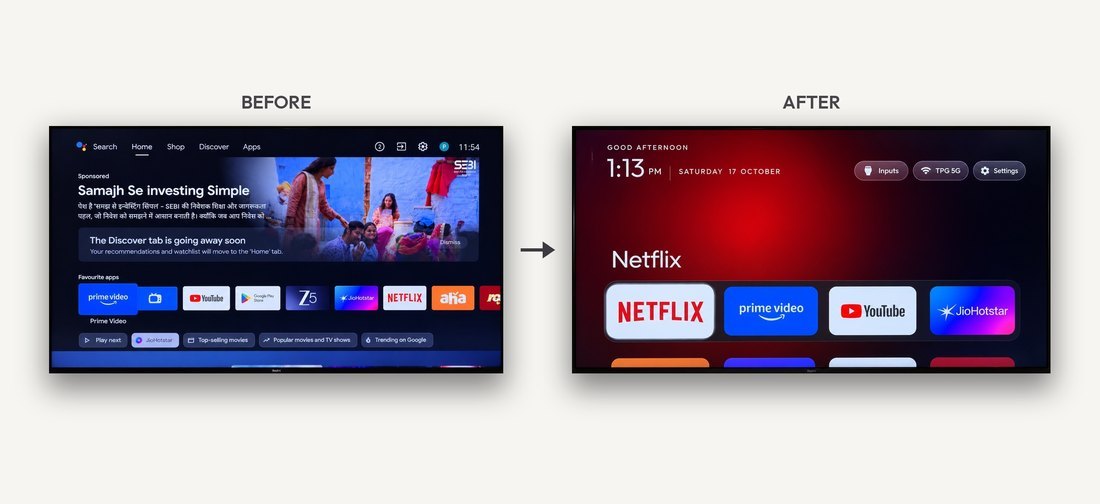
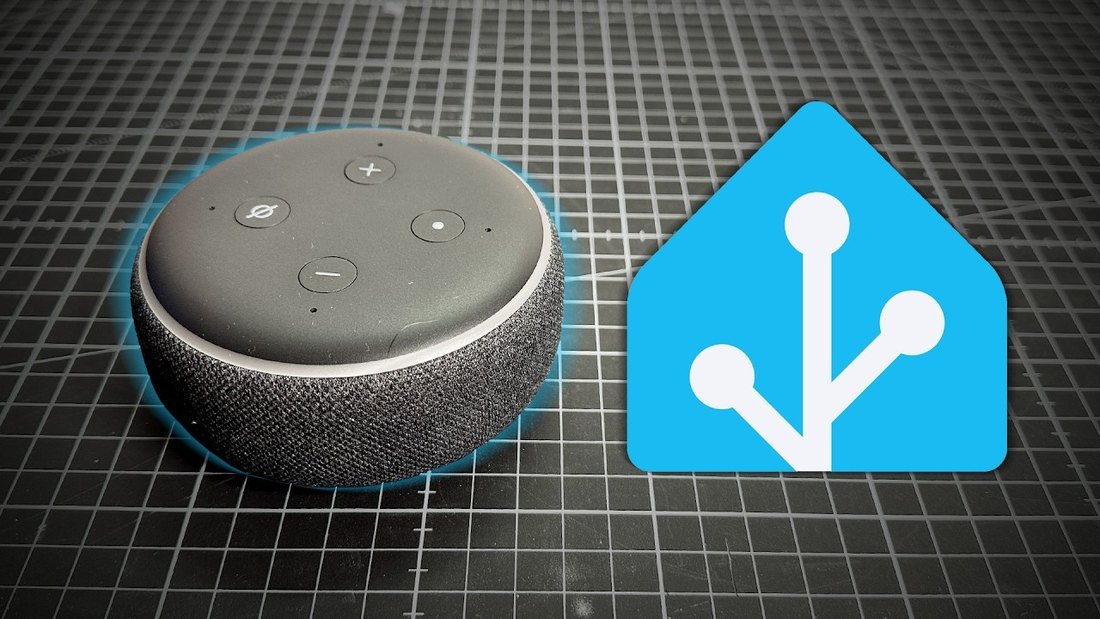
People are taking their devices back
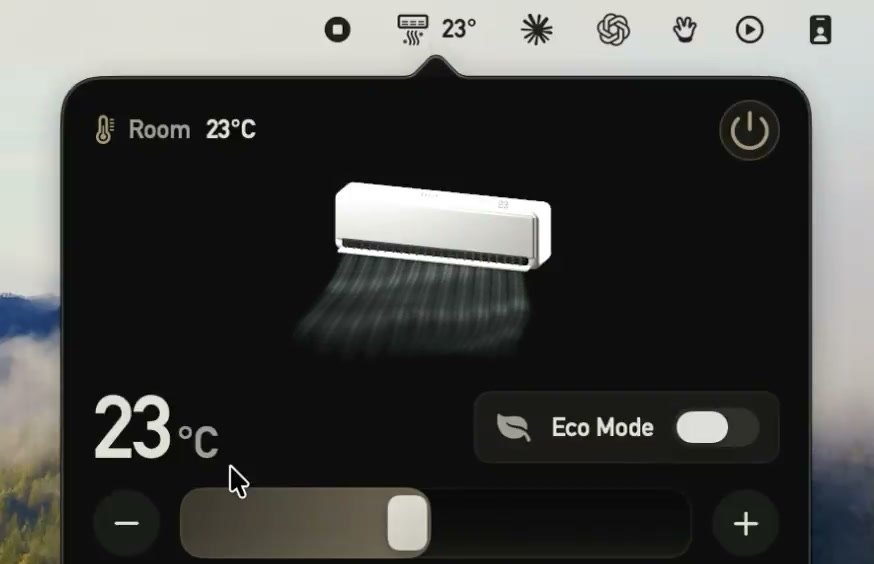
A TCL TV showing a custom screensaverA terminal with a root shell on a Samsung TV
A Mac menu bar app controlling an air conditionerA Xiaomi TV home screen before and afterAn Amazon Echo Dot next to the Home Assistant logo
3
Why do this?

Three reasons to take your devices back

1
Bring back devices they stopped supporting
Hardware that still works, switched off by its maker.
2
Free them from bloat, ads and spying
A sponsored ad before you can even get to Netflix.
3
Make them work the way you want
Built around you, your home and your family.

Gamers Nexus · 6 Sep · 8.9M views
LG “owns the glass”
Their TVs watch what you watch. Security holes can turn them into listening devices.
4
Tonight

Three projects of my own

01
Rescue
02
Replace
03
Rebuild
5
01

Rescue

6
May 2026

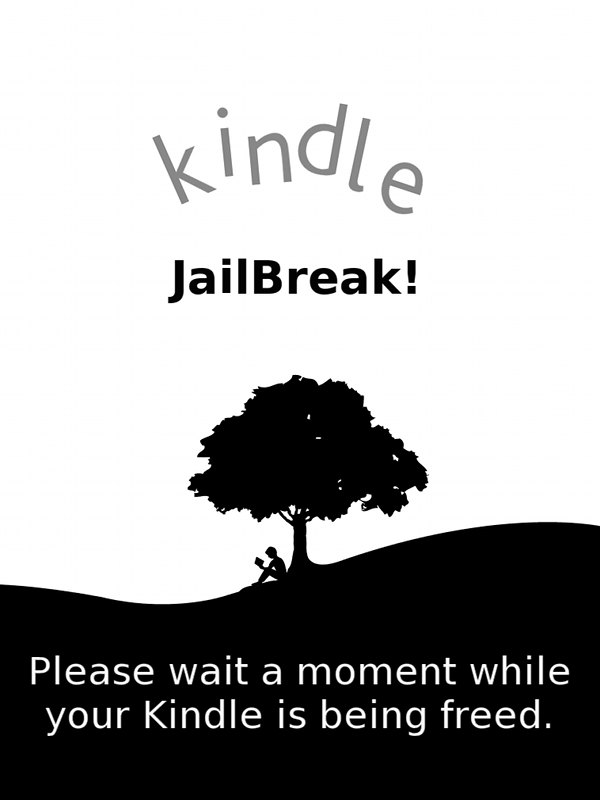
Amazon switches off the store and downloads for every Kindle from 2012 and earlier.

7
The goal

A Kindle that syncs with my own server

Over Wi-Fi, no cable
My server at home fills the Kindle
What I wanted
My own content, from my NAS
Books and documents I already have.
New reading from the internet
Synced automatically, without me doing anything.
8
Rescue

What I did

Step 1
Connect the Kindle by USB
>I've got an Amazon Kindle ereader and i'd like to setup a local server that I can upload things to read to and have those items sync'd over to the kindle for reading -- lets scope this out
Step 2
My first prompt to Claude
9
One afternoon

What Claude did

1
Identified the Kindle and its limits
Kindle 4, firmware 4.1.4. Send-to-Kindle is dead: go fully local.
2
Found the right files and verified them
NiLuJe’s MobileRead snapshots, checksummed against his list.
3
Jailbroke it over the USB cable
K4 jailbreak 1.8.N, Kindlet Kit, fresh developer keystore.
4
Installed a new reading app
KUAL launcher, then KOReader legacy v2026.07.1.
5
Set up a library server at home
Calibre-Web-Automated (OPDS) and Wallabag in Docker on my NAS.
10
Now

Nothing goes through Amazon

Books
My own library server at home
Articles
Saved from any browser
Substack
New posts arrive every 2 hours
→
KOReader
Alice's Adventures in WonderlandLibrary · new
Import AI 477Articles · substack
11
12 / 33 · One more thing
Hold up the Kindle.
Every page turn has been moving the slides.
Notes on the screen, clicker on the side.
Next: Replace
One more thing…

This Kindle is running
these slides

  • 1I turn the page
  • 2A KOReader plugin sends the page number over Wi‑Fi
  • 3My Mac moves the slide
12
02

Replace

13
Google Nest Hub

After Claude, Google Assistant felt dumb

Me
Hey Google, turn off the lamp.
Google Assistant
When would you like your alarm set for?
14
The goal

A Nest Hub that runs my own software

Nest Hub replacement
An Android tablet on a speaker dock
The tablet
10.1-inch screen
1280 × 800, on a speaker dock.
8-core chip, 4 GB RAM
Allwinner A523, 64 GB storage.
Android 15
With Google Play.
349 zł
On Allegro, 2 November.
15
Replace

What I did

Step 1
Pair the tablet over Wi-Fi
>I'd like to turn my existing TCL Android tablet into a Google Nest Hub replacement -- i've outlined the scope in a doc in my obsidian vault
Step 2
My first prompt to Claude
16
Replace

What Claude did

1
Read my notes and pinned down the plan
The scope doc in my Obsidian vault, then four decisions for me to make.
2
Connected to the tablet without a cable
Android wireless debugging: a pairing code, then adb over Wi-Fi.
3
Tested the microphones before building anything
A throwaway recording app, scored with openWakeWord at three spots in the room.
4
Designed the screens for me to approve
Six HTML mockups: home, listening, answer, timer, not allowed, media.
5
Built the app and made it the home screen
An Android launcher, with a two-stage wake: openWakeWord, then a speech-to-text check.
17
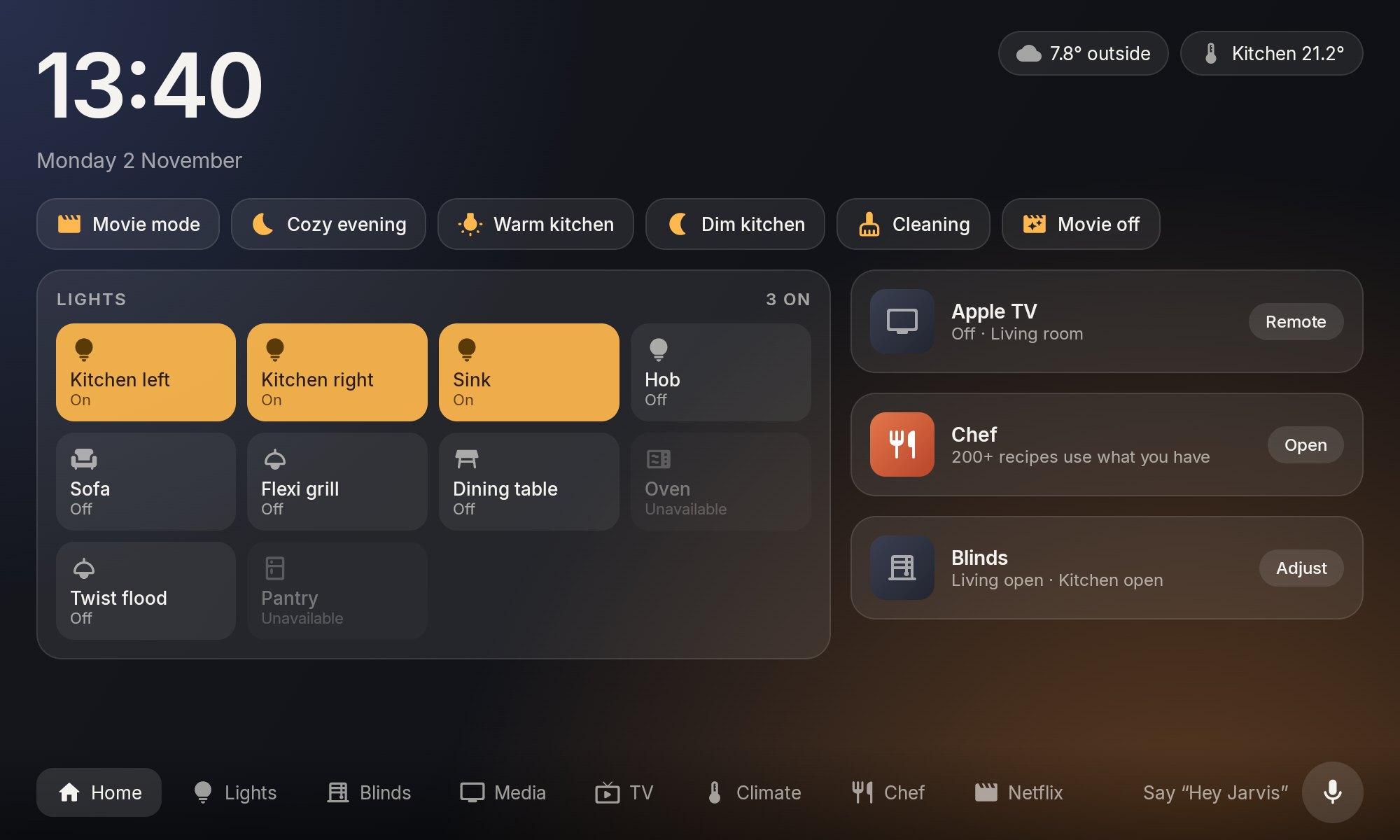
Nest Hub out · Android tablet in

My own home screen

Through Home Assistant
Lights
Ten of them: on, off, brightness.
Scenes
Movie mode, cozy evening, cleaning.
Blinds
Two blinds and the projector screen.
Heat pump and ventilation
Day and night targets, fan mode.
18
Voice chat

The family can talk to it

  • 1The tablet hears “Hey Jarvis”
  • 2Speech becomes text
  • 3Claude picks an action
  • 4The answer is spoken back
CanLights, blinds, timers, music, TV
Can'tEmail, files, shell, locks, garage door
19
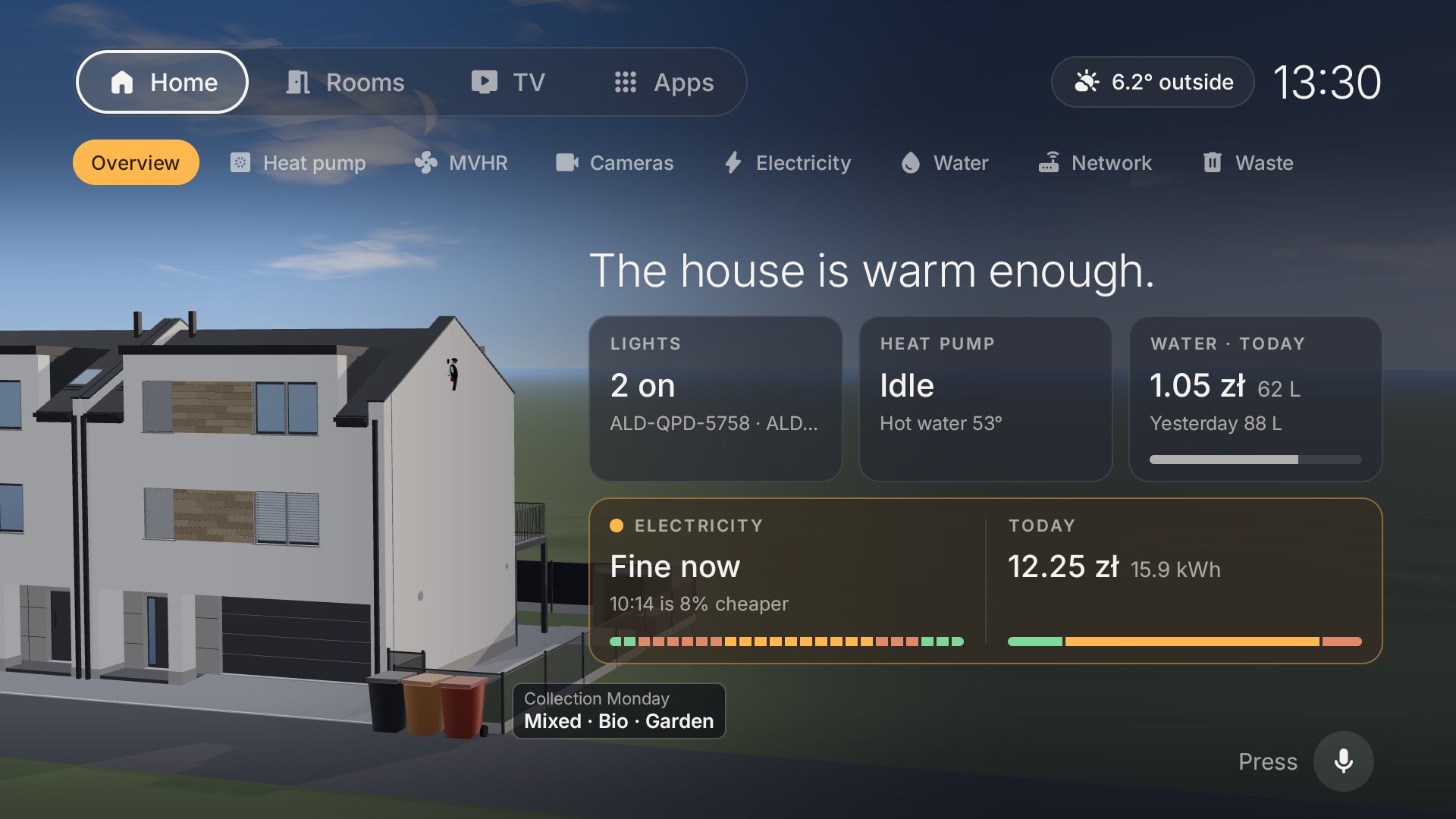
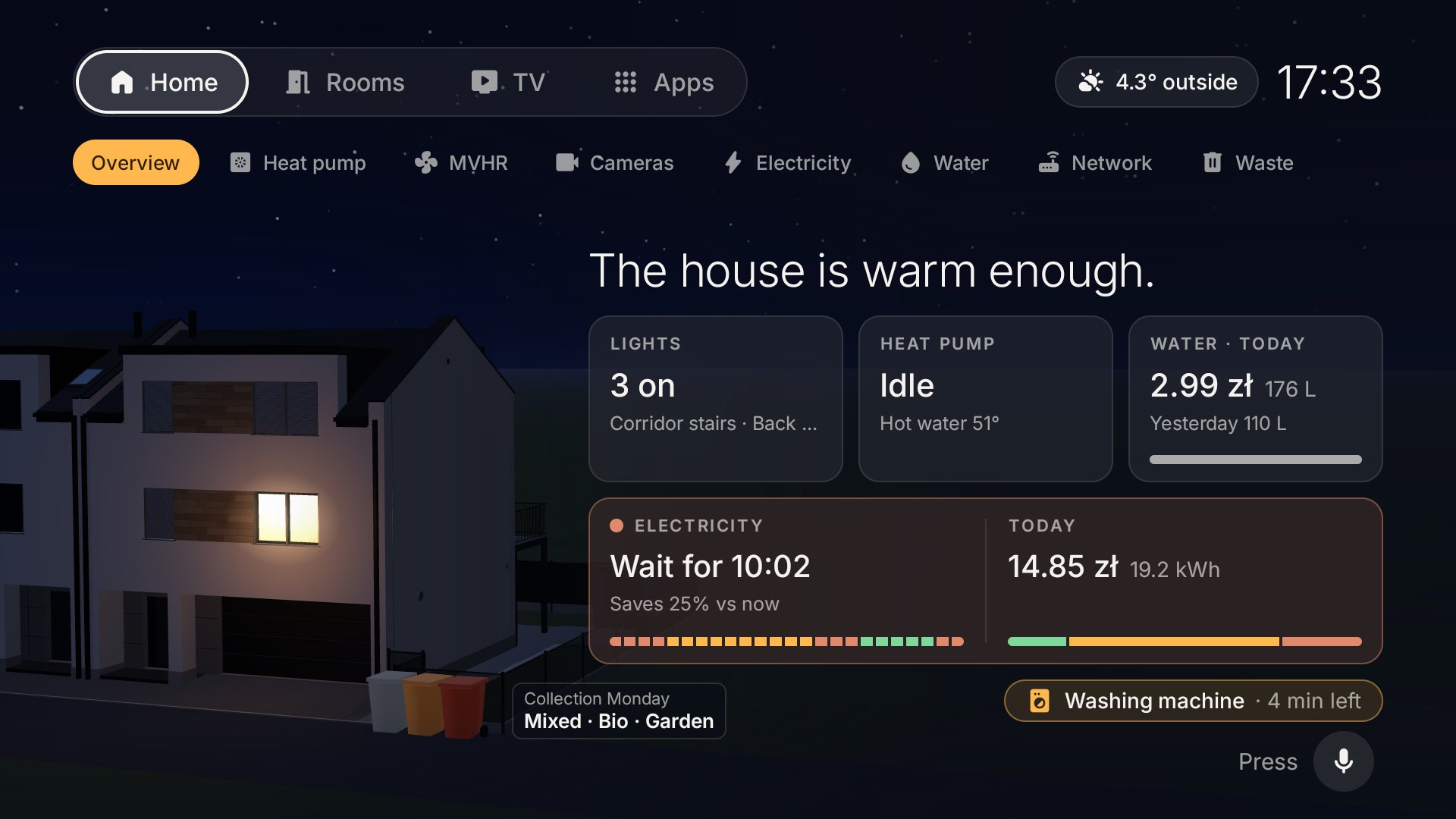
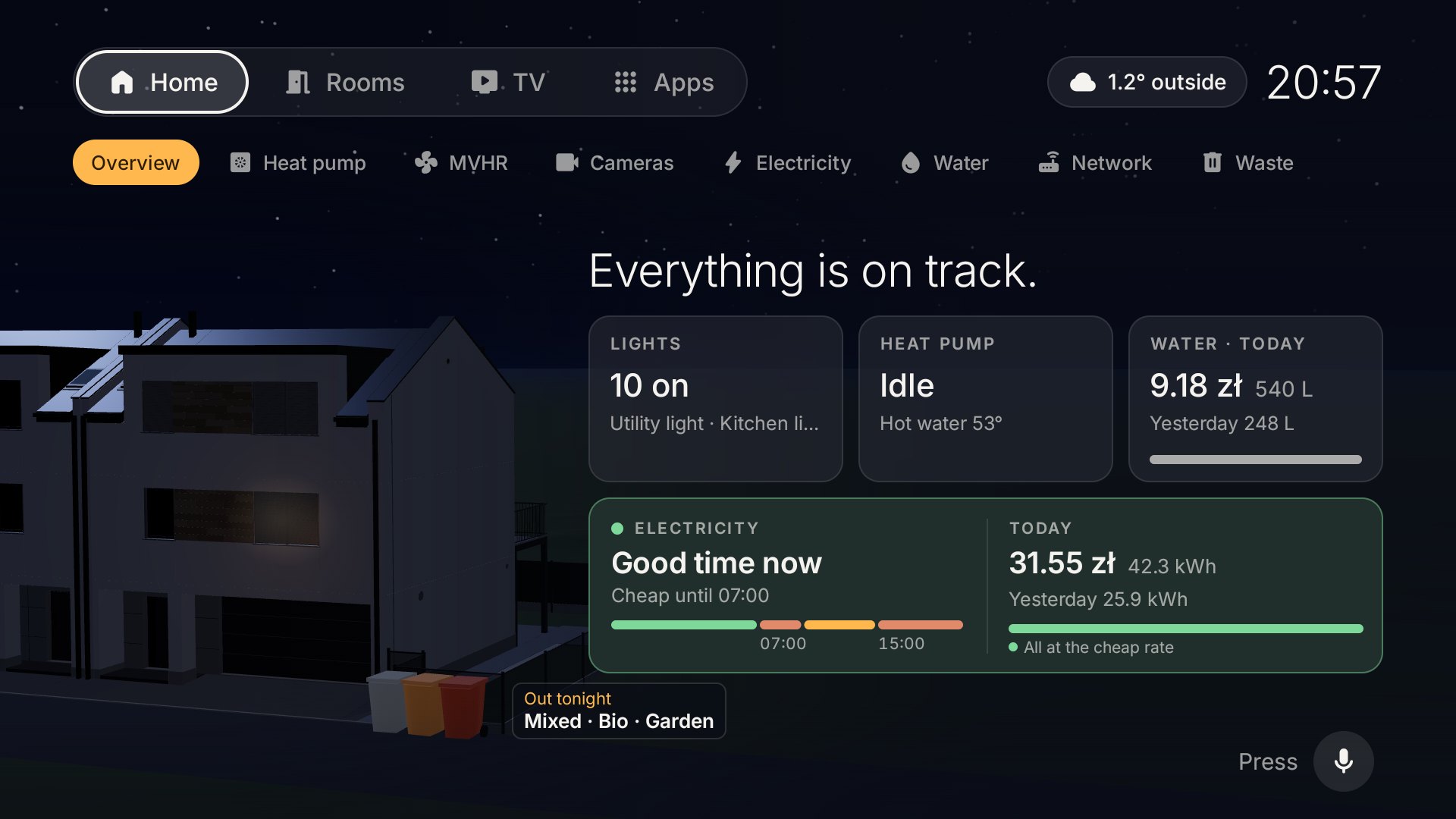
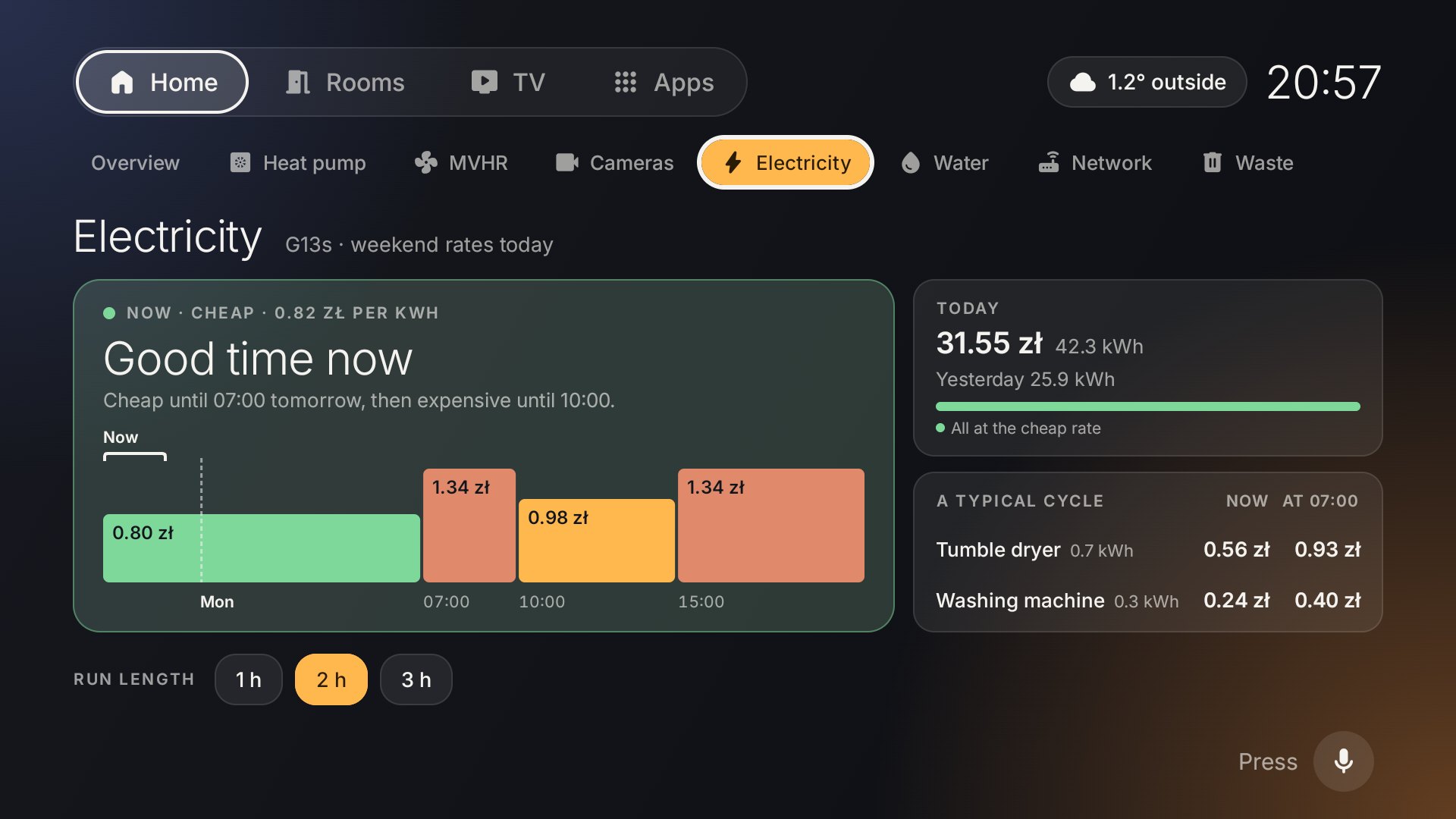
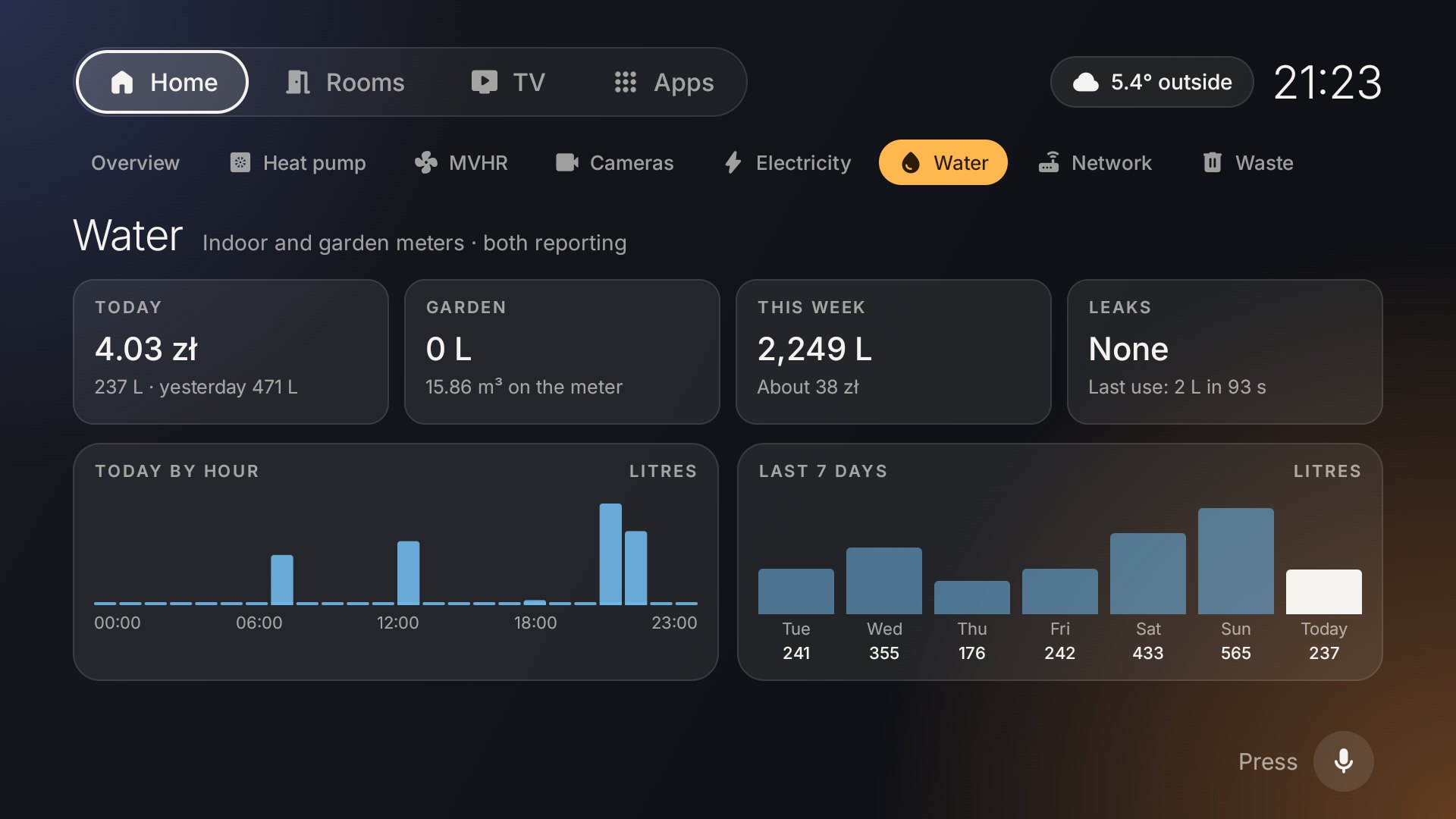
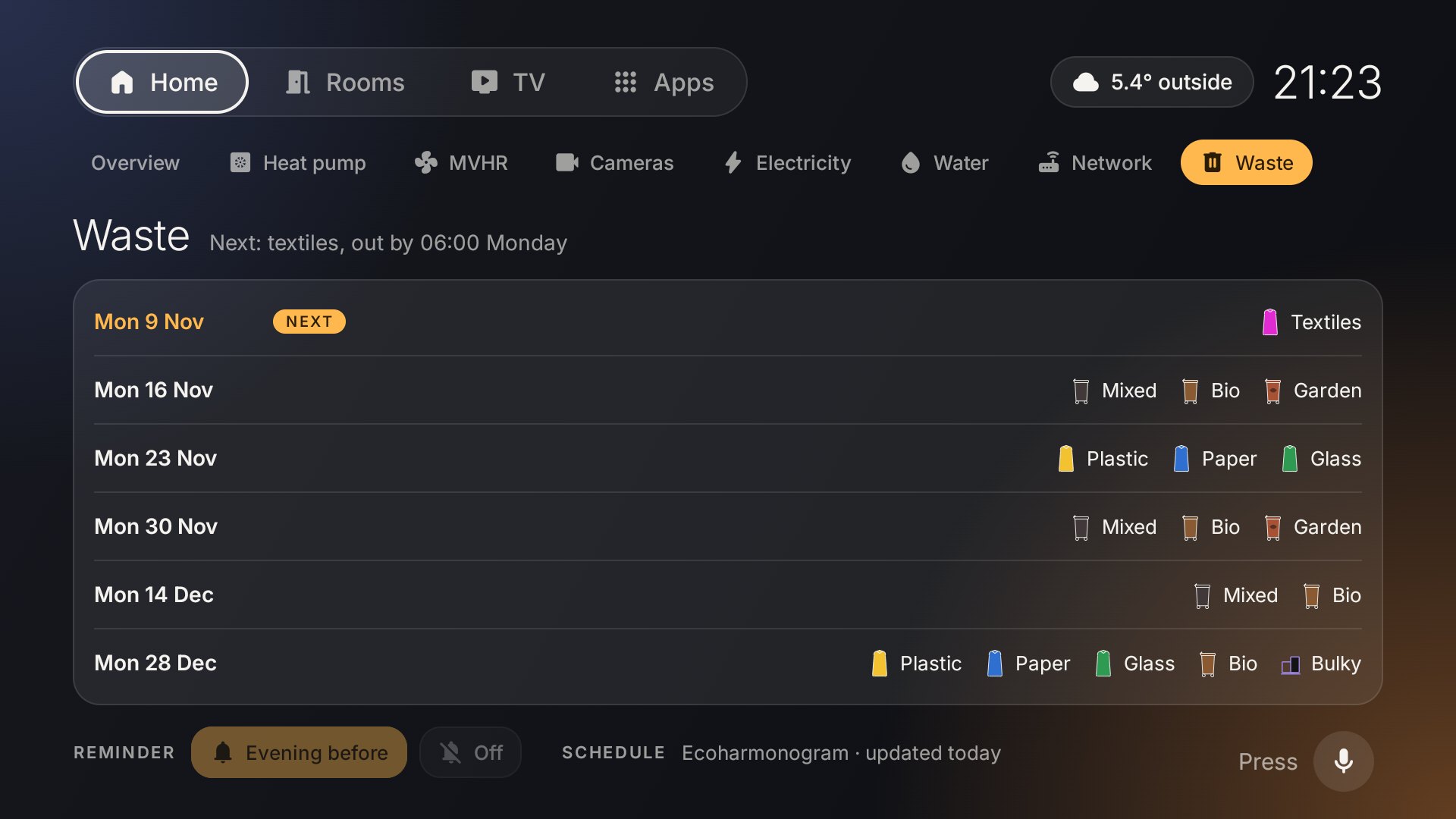
Overview by day, bins out for Monday's collection Overview at dusk, a window lit Overview at night, bins out tonight Electricity prices through the day Water use by hour and by day Bin collection calendar
One more thing…

The same launcher, on the kitchen TV

The house is a 3D model, built from:

  • 1The developer's house plans
  • 2Public data from Geoportal
  • 3Blender, driven by Claude
20
03

Rebuild

21

Diesel at over 8 zł a litre

Orlen price sign showing diesel at 8.39 and 8.59 zł a litre
22
Garage on my iPhone

A photo of the receipt logs the fill-up
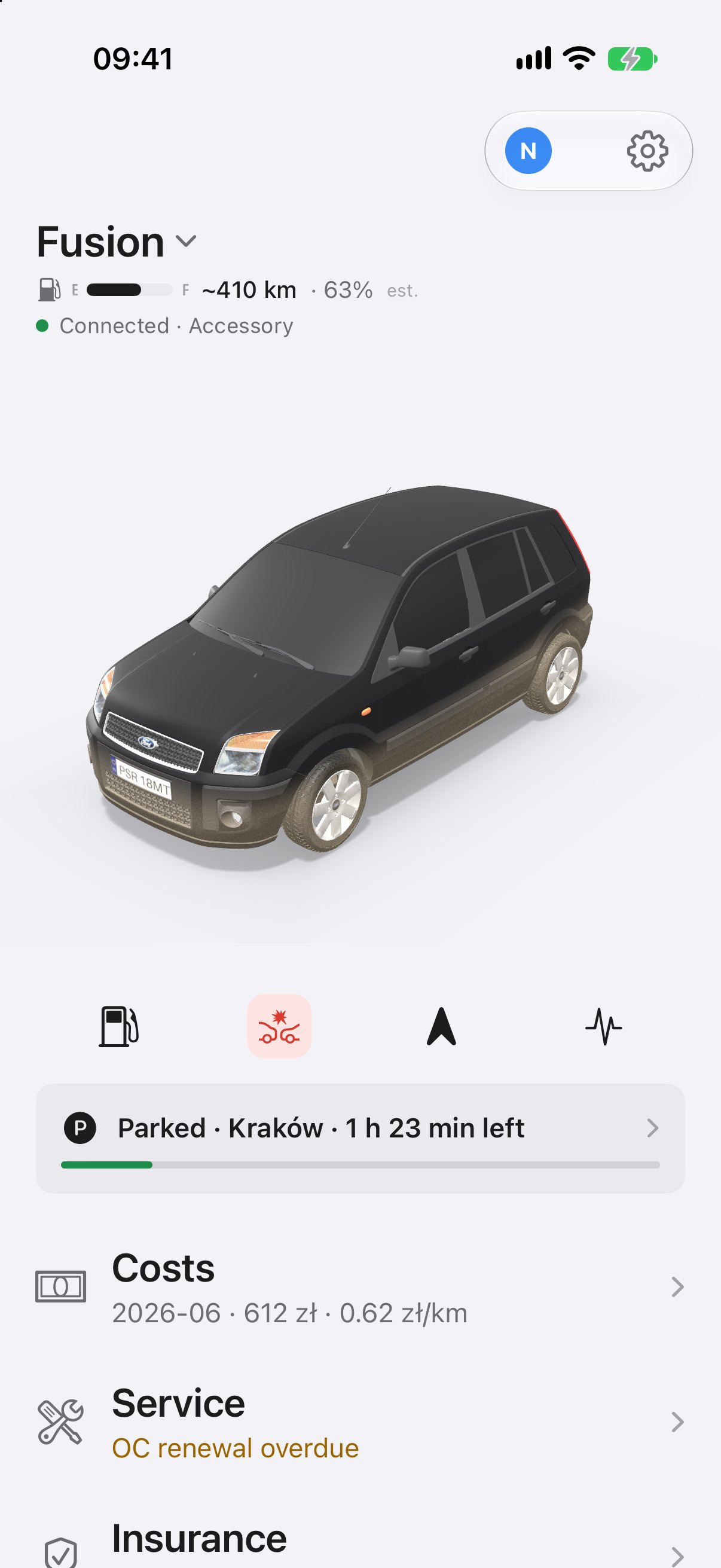
23
The missing number

Fuel efficiency needs the odometer at every fill-up

The easy way
Read it off the dash. Type it into the app.
What I did
Build an app for the car’s Android head unit that reads it from the OBD2 reader.
24
Rebuild

What I did

Step 1
Sideload my app by Wi‑Fi
>I'd like to scope out a project to get more control of the running costs of our car. I'm thinking about a mobile app that can help track fuel costs, insurance, maintenance etc
>Here's what I'm thinking. A iOS client app in thr style of the Tesla app. A web service running on the NAS. The car has 3rd party android head unit installed in it already and a Bluetooth OBD reader.
Step 2
My first two prompts to Claude
25
Rebuild

What Claude did

1
Identified the head unit from its settings screens
Model AJ002-OB on a CVD1810 board. Developer password, per XDA: today’s date.
2
Caught it lying about its Android version
It reports Android 14. CPU-Z shows Android 9 on a 32-bit MT8163, so the app targets minSdk 24.
3
Worked around a system that would not let it in
Wireless debugging is removed, so no adb: the app installs by download and uploads its own logs.
4
Proved the head unit could read the car
An ELM327 OBD dongle over Bluetooth: revs, speed, coolant temperature, air flow.
5
Built the launcher and the server behind it
An Android HOME activity, plus a telemetry service in Docker on my NAS.
26
From the car to my phone

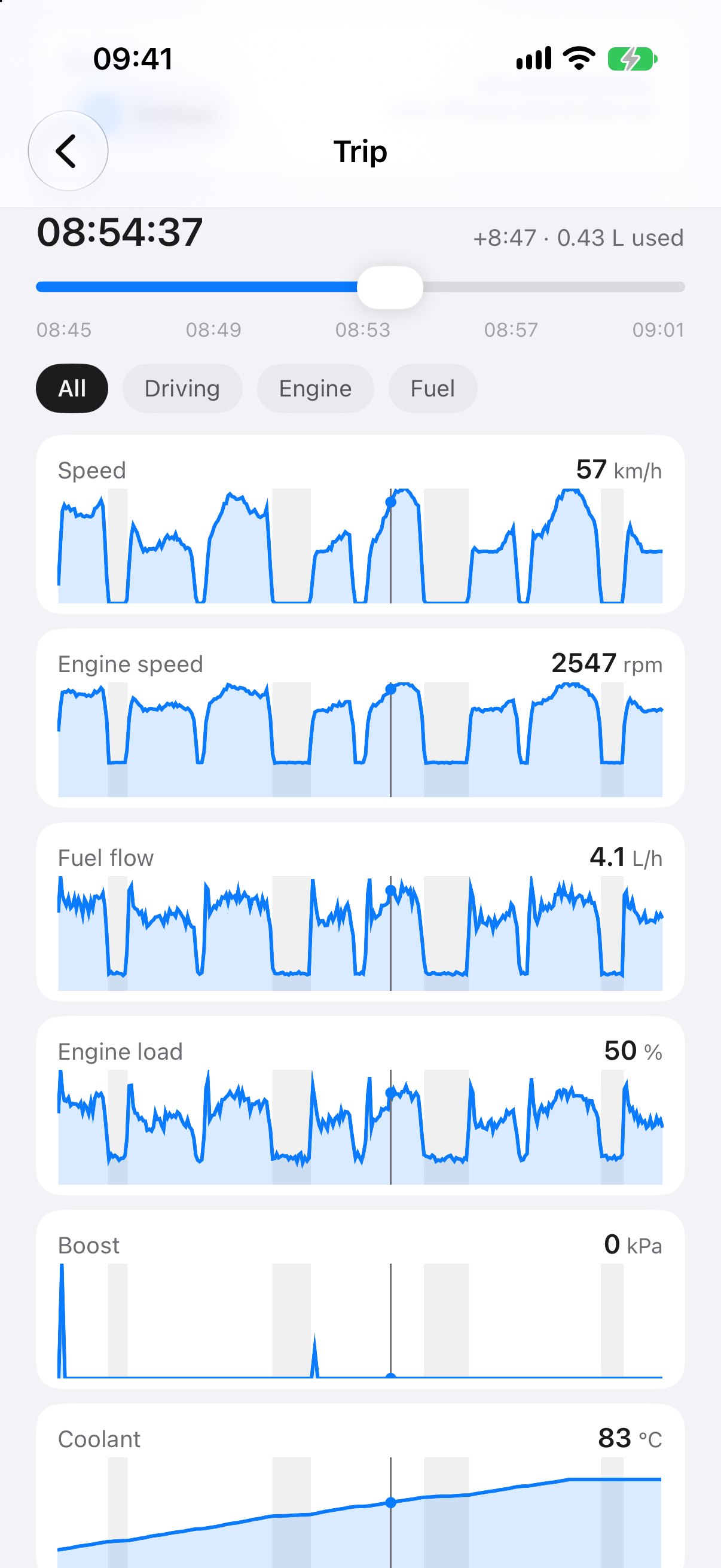
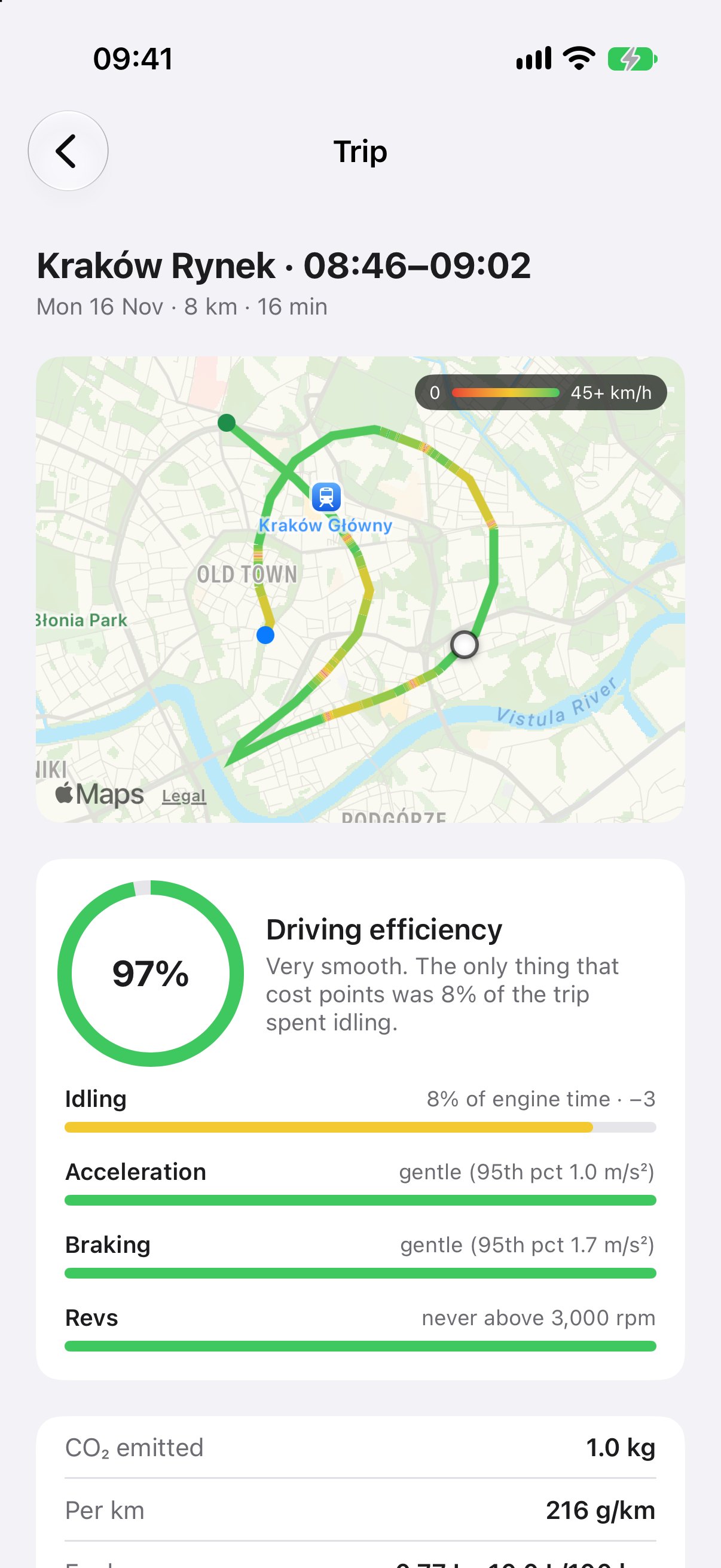
What the head unit reads from the car

Every drive
Route, distance, time and speed.
The engine, every second
Revs, load, air flow, boost, temperatures.
Fuel used
Litres per trip, worked out from air flow.
Health
Battery voltage, warning light, fault codes.
27

And I could have just stopped there.

But now I have my own app on the head unit.
It can do whatever I want.
28
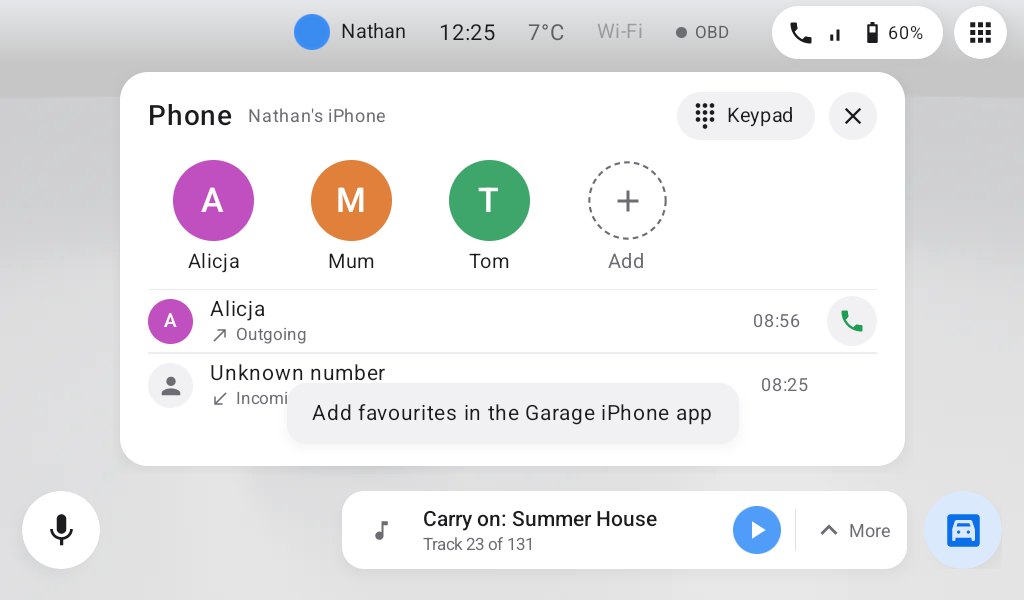
Garage Home

My own car launcher

29
Garage Home

And I can talk to it

30
One app, the whole dashboard

Everything the car never had

  • Voice assistant
  • Turn-by-turn navigation
  • Music from my own library
  • Fuel and trip costs from OBD
  • Calls through the car's Bluetooth
31
Recommendations

How to do this yourself

1
Fable investigates, Opus builds
Use Fable as your investigator and Opus to do the actual work.
2
Don’t start from scratch
Have Fable explore what tools and solutions are already out there.
3
Let Fable explore your network
It can look at the devices at home and help you work out what they’re capable of.
4
Describe the end result
Not how to achieve it. You’ll be surprised what novel solutions Fable comes up with.
32
Nathan Massey

Pick one device
that annoys you.

Slides

nathanmassey.dev/talks/
take-back-your-tech

Claude Community Kraków #3

Thank you · Dziękuję

Try it yourself

Prompts to paste into Claude Code on your own computer. Fill in the parts in <angle brackets>. Start with the ground rules, then pick the one that fits your device.

Ground rules (paste this first)

I want to change a device I own. Before you change anything:
1. Tell me what you plan to do and why, one step at a time.
2. Prefer changes that can be undone, and write down how to undo each one.
3. Never factory reset, deregister, flash firmware or unlock a bootloader without asking me first and explaining the risk.
4. Keep a log of every command you run in changes.md.

Clean up an Android TV or Google TV

My TV is a <brand and model> running Android TV / Google TV. It's on my Wi-Fi at <IP address>, and I've turned on Developer options and network debugging.
Connect with adb and list every installed package with what it does, sorted into: needed for the TV to work, ads and tracking, and apps I don't use.
Don't change anything yet. Show me the list and wait for me to pick.
Then disable (don't uninstall) the ones I choose with pm disable-user --user 0, and give me the command to put each one back.

Bring back a device they stopped supporting

I have a <device, model and firmware version> that the manufacturer no longer supports.
Research what the community has done for this exact model and firmware: jailbreaks, alternative firmware or apps, and what still works without the manufacturer's servers.
Give me the options ranked by risk, the exact files I'd need from their original sources with checksums, and anything I must not do because it can't be undone.

Control a device without its app

I own a <device> that's controlled by the <app name> Android app over <Bluetooth / Wi-Fi / the cloud>. I want to control it from my own app or Home Assistant instead.
Here is the app's APK: <path>. Decompile it with jadx and work out how the app talks to the device: the commands, any encryption, and the endpoints.
Then write a small Python script that does one read-only thing first, like reading the device's status. Tell me what you found before sending anything that changes the device.

Build your own home screen

I have an Android <tablet / car head unit / TV>, model <model>. I want my own home screen app instead of the one it came with.
First check the device's real Android version over adb (some cheap devices report the wrong one) and what screen size and inputs it has.
Ask me what I want on the home screen, sketch it as an HTML mockup for me to approve, then build it as an Android app I can install with adb and set as the default home app.

Tools these prompts use

Before you start